Curriculum vitae
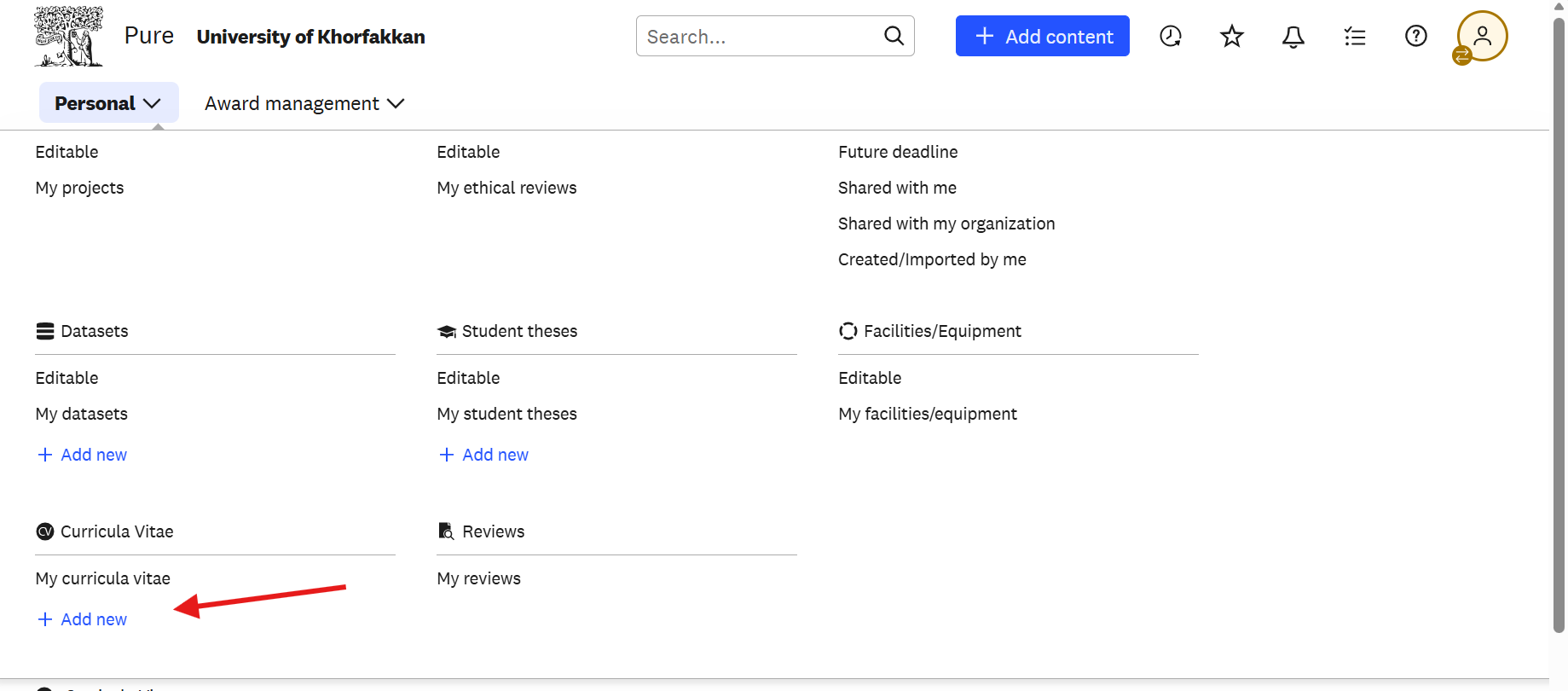
The portal can assemble a curriculum vitae from the records already on your profile, which you can then download and adjust for a particular purpose.
- 1Open your Personal overview and select Curriculum vitae.
- 2Choose the sections to include, such as publications, activities, and awards.
- 3Generate the document and download it.
- 4Complete your profile records first — anything missing there will be missing from the CV.
Before you leave the editor, click Save at the bottom of the page. Changes are only stored when you save, and anything you entered is lost if you navigate away first.