

Your biography
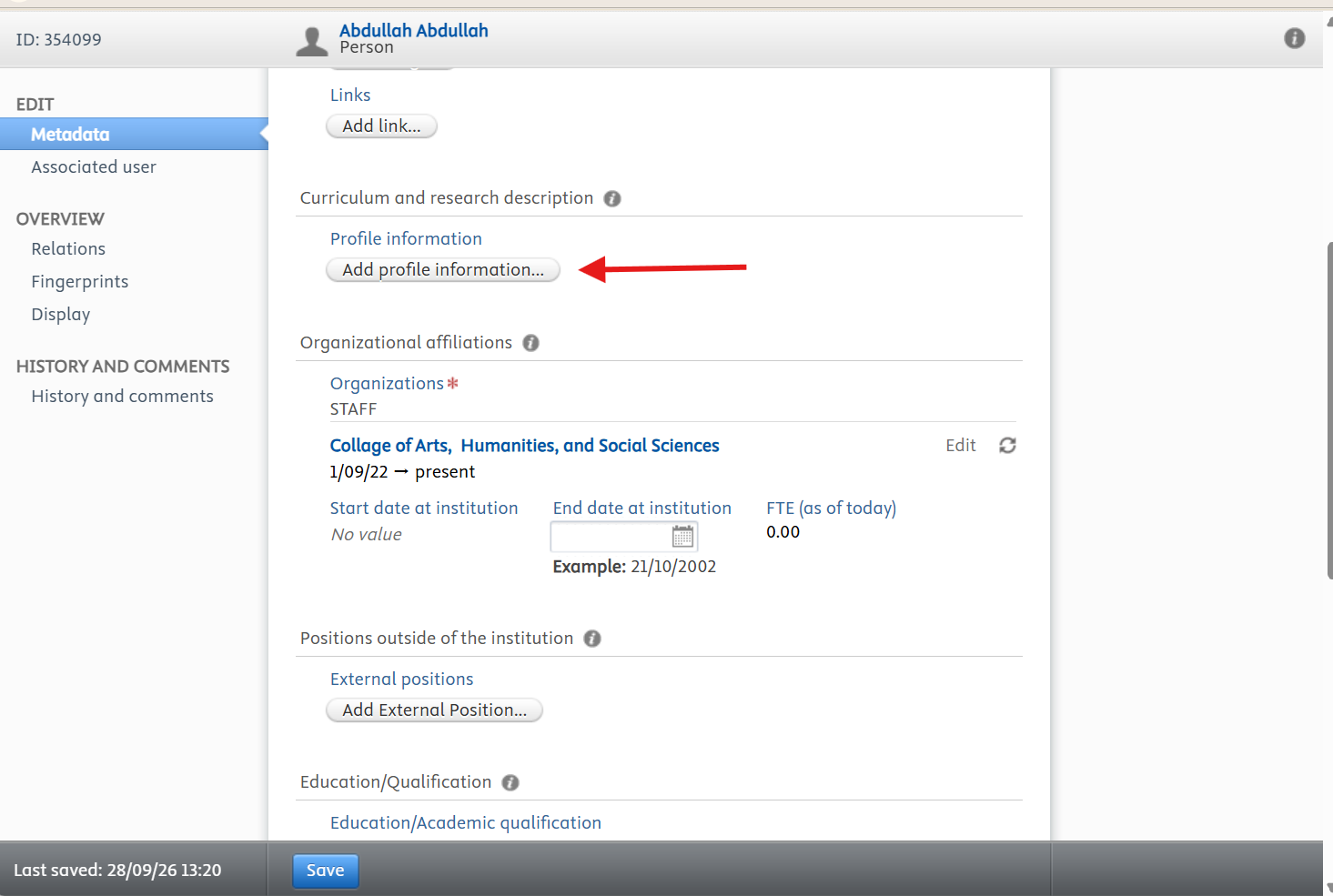
Your biography and research interests tell visitors who you are and what you work on. Write for a general reader: a prospective student, a journalist, or a colleague from another discipline should be able to follow it.
- 1Open the profile editor and scroll to Curriculum and research description.
- 2Click Add profile information…
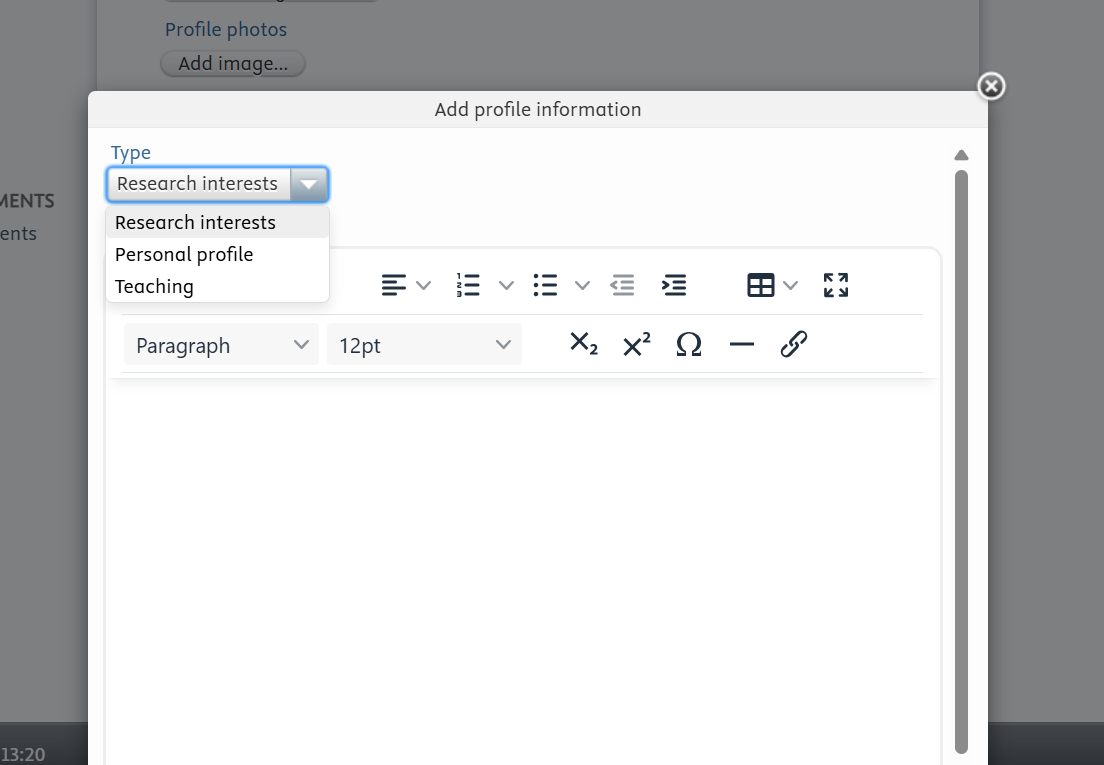
- 3Choose the entry type: Research interests, Personal profile, or Teaching.
- 4Write your text in the editor, using the toolbar for formatting, lists, and links.
- 5Confirm the entry, then click Save at the bottom of the page.
- Aim for 150 to 250 words in short paragraphs.
- Open with your current role and main research area, then your qualifications and notable projects.
- Close with what you are working on now and what you would like to collaborate on.
- Avoid abbreviations that only your own field would recognise.
- Set the language of the text when you add the entry.
- After saving, read the published version on your public profile.
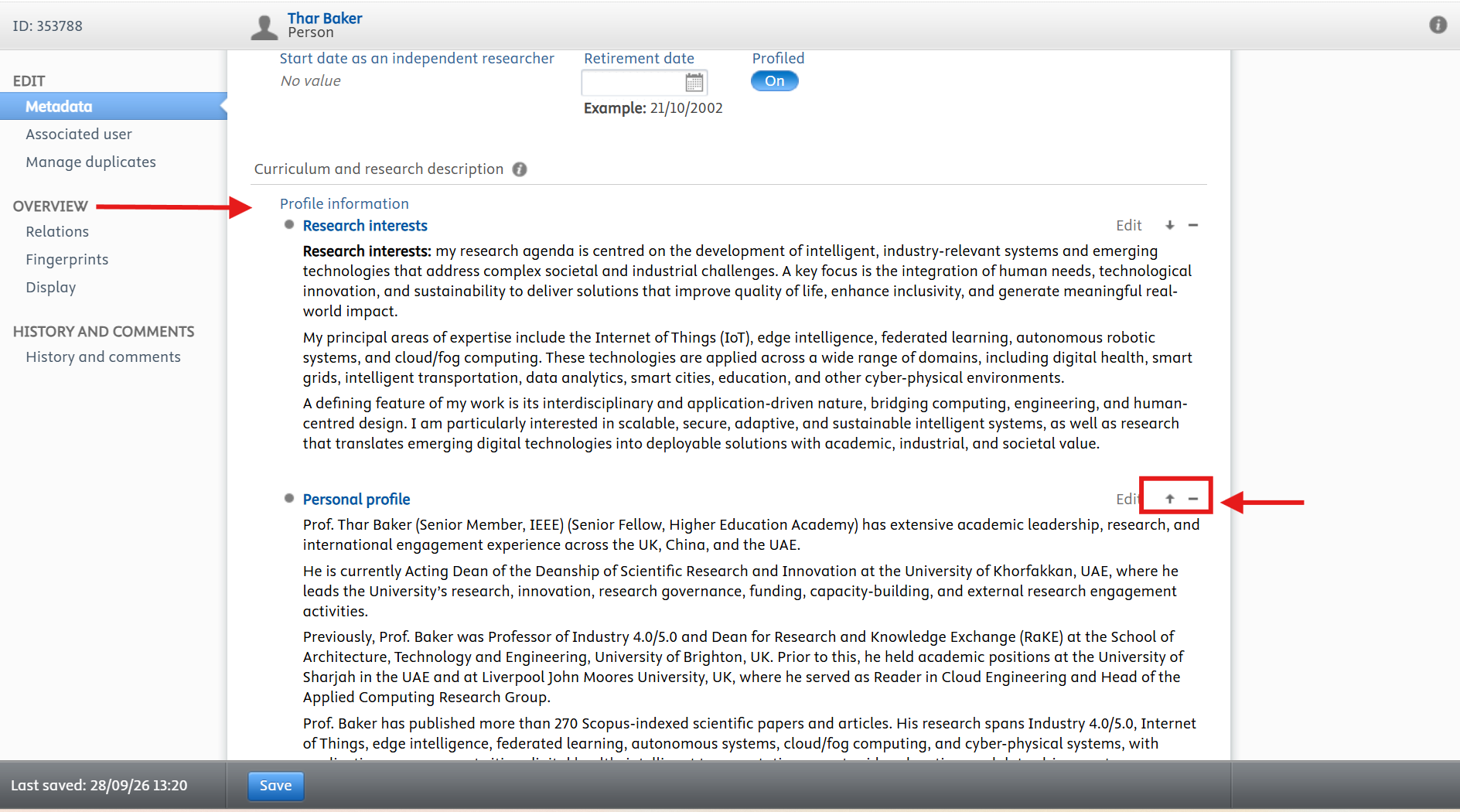
Research interests appears at the top of your profile by default. To give another entry more prominence, use the arrow icons beside it to move it up, then save.
Before you leave the editor, click Save at the bottom of the page. Changes are only stored when you save, and anything you entered is lost if you navigate away first.