

Prizes and awards
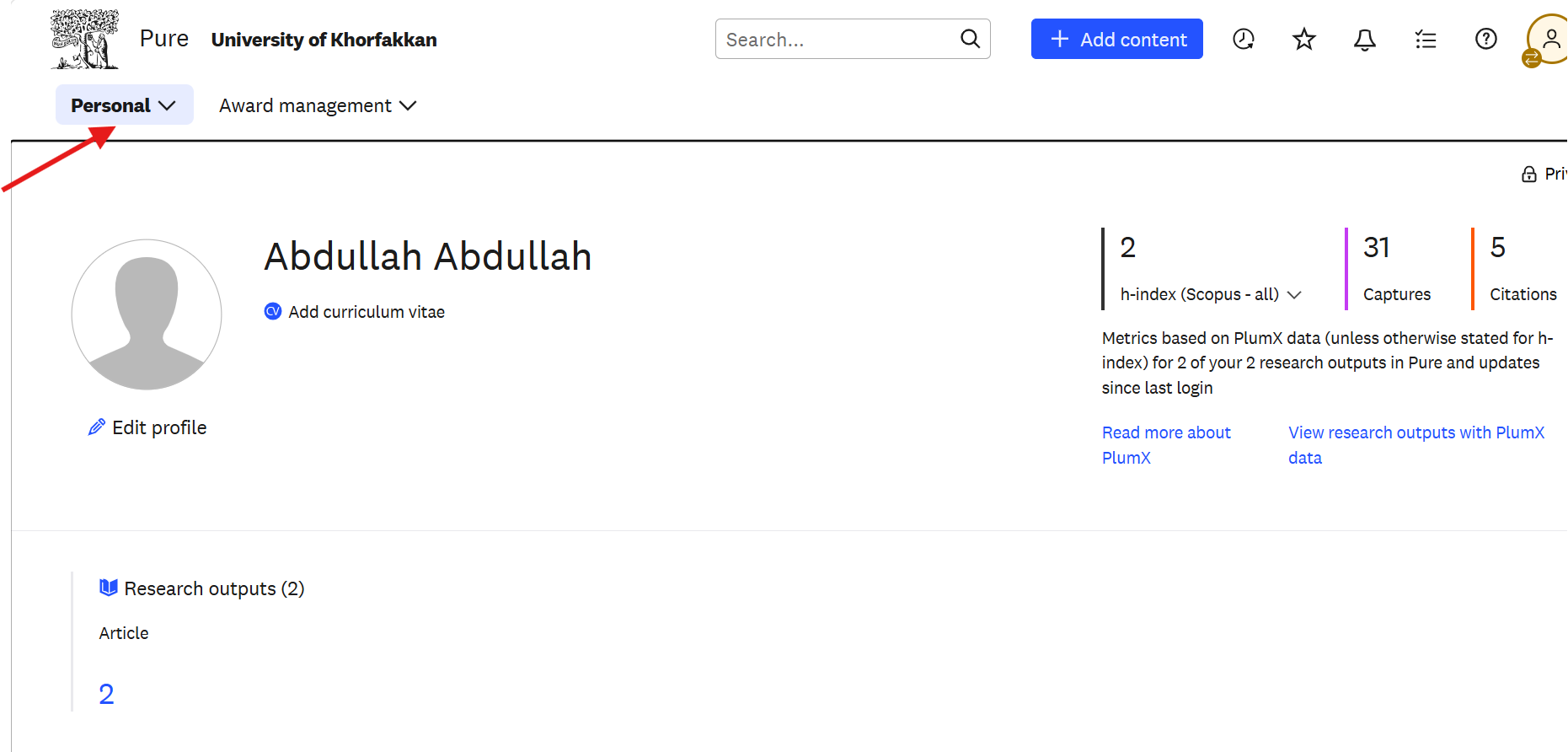
Record prizes, honorary awards, and other distinctions so they appear on your profile and in the University’s reporting.
- 1From the Personal menu at the top left of the Pure home page, click the drop-down arrow.
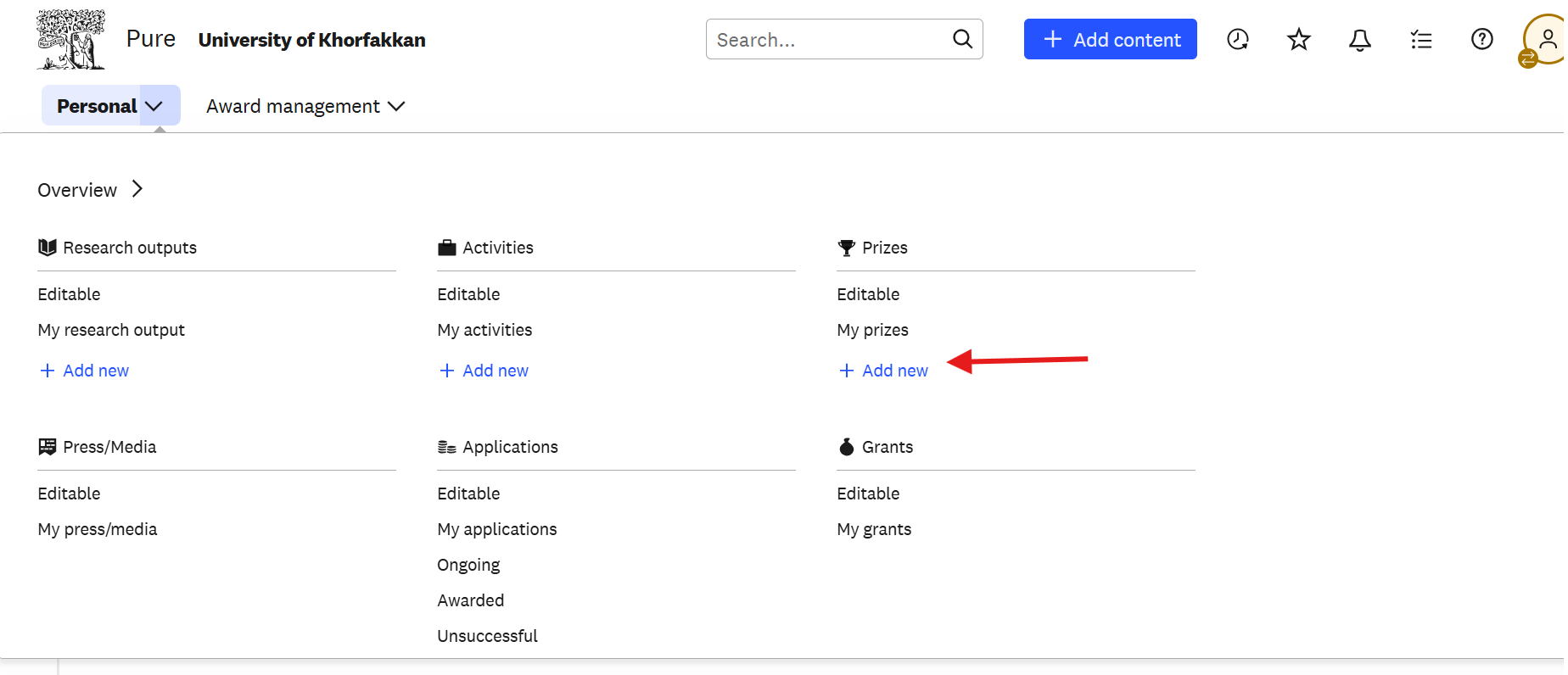
- 2Under Prizes, click + Add new.
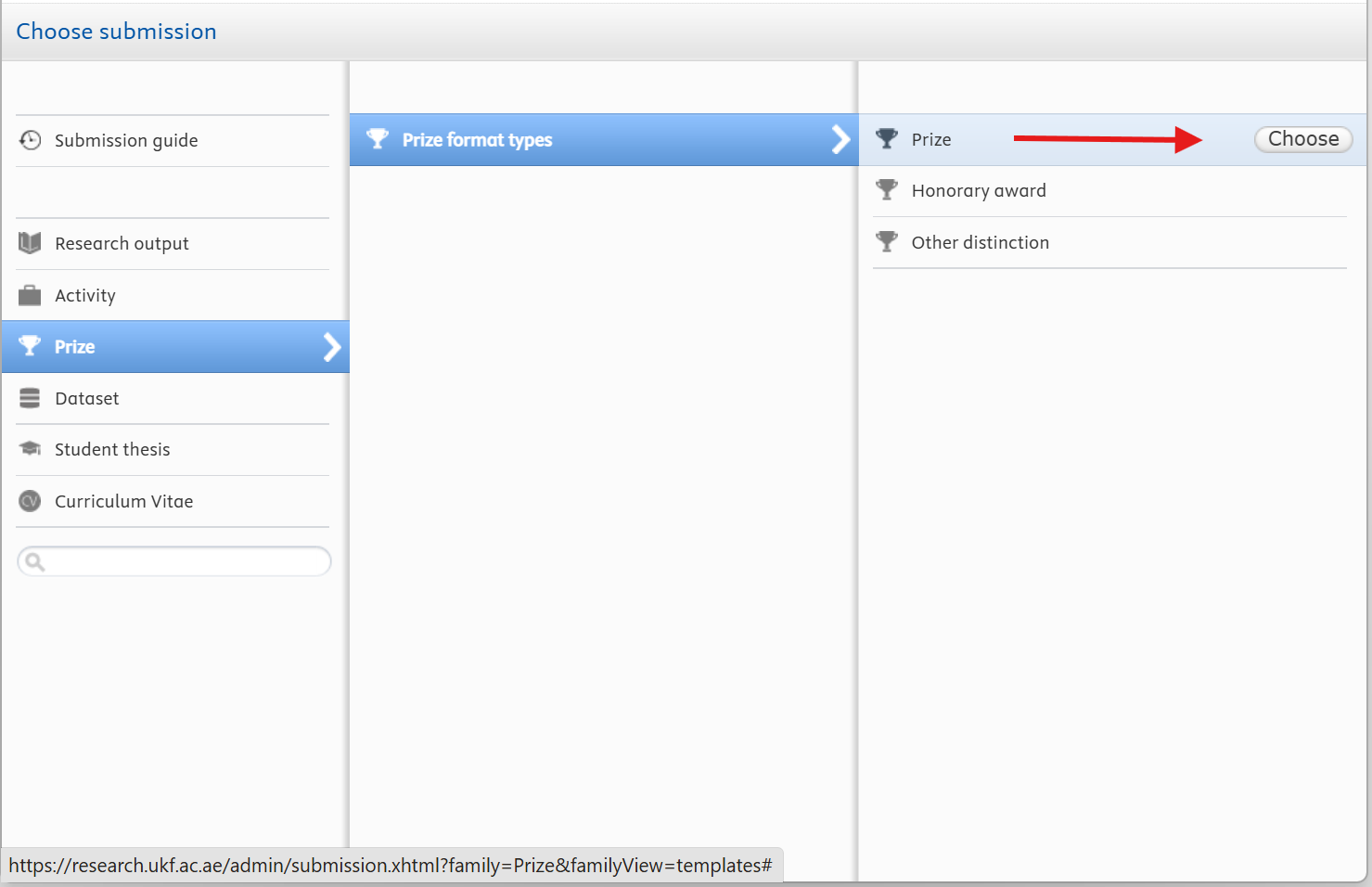
- 3On the Choose submission page, select Prize from the left-hand menu.
- 4Under Prize format types, choose the type that fits: Prize, Honorary award, or Other distinction.
- 5For a standard prize, select Prize, then click Choose.
- 6Complete the required prize information on the form that appears.
- 7Review what you have entered and click Save to add the prize to your profile.
- Name the award exactly as the awarding body writes it.
- Add the awarding organisation, the date, and the degree of selectivity where it is known.
- Include team awards, naming the other recipients.
Before you leave the editor, click Save at the bottom of the page. Changes are only stored when you save, and anything you entered is lost if you navigate away first.